WordPress Security Audit Checklist
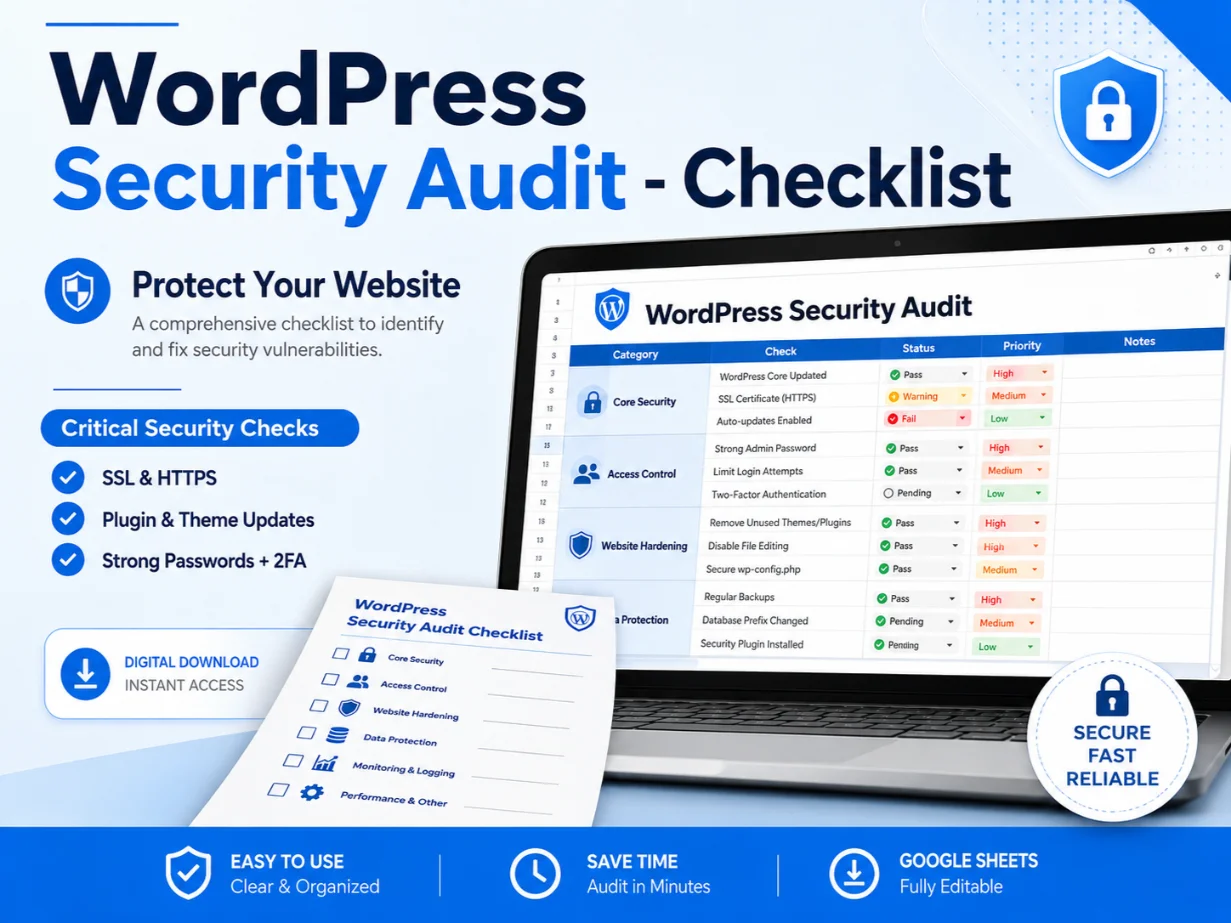
Review important WordPress security areas with an organized and easy-to-follow audit checklist. Check website access, updates, plugins, themes, backups, file permissions, login protection, database settings, malware risks, and other essential security points.
The WordPress Security Audit Checklist is a practical resource designed to help website owners, developers, freelancers, and digital agencies review the security condition of a WordPress website.
A WordPress security audit can involve many different areas, including user access, software updates, plugins, themes, hosting settings, backups, website files, login protection, and monitoring.
This checklist organizes important security checks into clear sections, making it easier to review a website without missing common areas.
It can be used when auditing your own website, reviewing a client’s website, preparing a security report, or checking a WordPress installation before starting maintenance work.
What the Checklist Covers
The checklist may include security checks related to:
✓ WordPress core version
✓ Installed plugin updates
✓ Theme updates and security
✓ Unused plugins and themes
✓ Administrator user accounts
✓ User roles and permissions
✓ Strong password practices
✓ Two-factor authentication
✓ WordPress login protection
✓ Brute-force attack prevention
✓ Login attempt monitoring
✓ Website SSL and HTTPS
✓ WordPress file permissions
✓ wp-config.php protection
✓ Database security checks
✓ Database table settings
✓ Security keys and salts
✓ File editing permissions
✓ Backup configuration
✓ Backup restoration testing
✓ Malware and suspicious file scans
✓ Spam and bot protection
✓ Security plugin settings
✓ Activity logs and monitoring
✓ Hosting and server security
✓ WordPress REST API review
✓ XML-RPC settings
✓ Directory browsing protection
✓ Website firewall settings
✓ Security headers review
✓ Error and debug information exposure
✓ Default WordPress settings
✓ Comments and form security
✓ Ecommerce website security checks
✓ Final audit notes and recommendations
Key Features
✓ Organized WordPress security audit process
✓ Easy-to-follow checklist format
✓ Suitable for technical and non-technical users
✓ Helps review common website security areas
✓ Can be reused for different WordPress websites
✓ Useful for client audits and internal website reviews
✓ Helps organize findings and recommendations
✓ Saves time compared to creating a checklist from scratch
✓ Suitable for website maintenance workflows
✓ Supports more professional security reporting
Who Is This Checklist For?
This product is suitable for:
✓ WordPress website owners
✓ Freelancers
✓ WordPress developers
✓ Website designers
✓ SEO professionals
✓ Digital marketing agencies
✓ Website maintenance providers
✓ Ecommerce store owners
✓ Bloggers and publishers
✓ Virtual assistants
✓ Hosting support professionals
✓ Beginners learning WordPress security
How to Use the Checklist
- Open the checklist file.
- Add the website or client details.
- Review each security category one by one.
- Mark completed, pending, passed, or failed checks.
- Add notes for any security concern you identify.
- Prioritize issues based on their potential risk.
- Prepare recommendations for required improvements.
- Repeat the audit regularly or after major website changes.
Benefits of Using This Checklist
✓ Review WordPress websites in an organized way
✓ Identify commonly overlooked security settings
✓ Improve the quality of website maintenance work
✓ Create clearer client security audit reports
✓ Track completed and pending security tasks
✓ Reduce manual audit planning
✓ Maintain records for multiple websites
✓ Make security reviews easier to repeat
✓ Support better website management decisions
Suitable Use Cases
You can use this checklist for:
✓ New WordPress website reviews
✓ Existing website security audits
✓ Client onboarding
✓ Website migration checks
✓ Monthly maintenance tasks
✓ Ecommerce store reviews
✓ Website recovery follow-ups
✓ Pre-launch security checks
✓ WordPress maintenance packages
✓ Internal agency processes
Important Notes
✓ This checklist is an auditing and planning resource.
✓ It does not automatically scan, repair, or secure a website.
✓ It does not replace a professional penetration test or security specialist.
✓ Website security needs may vary depending on hosting, plugins, themes, users, and website functionality.
✓ Always create a complete backup before changing website files, plugins, themes, databases, or security settings.
✓ Test major changes on a staging website where possible.
✓ No checklist can guarantee complete protection from every security threat.
✓ Users are responsible for reviewing and applying recommendations correctly.
File and Delivery Information
This is a digital product. No physical product will be shipped.
The checklist may be delivered as a spreadsheet, PDF document, editable file, or online sheet, depending on the available product format.
After completing your purchase, you will receive access to the downloadable file or provided resource link.