Beginner WordPress Starter Checklist
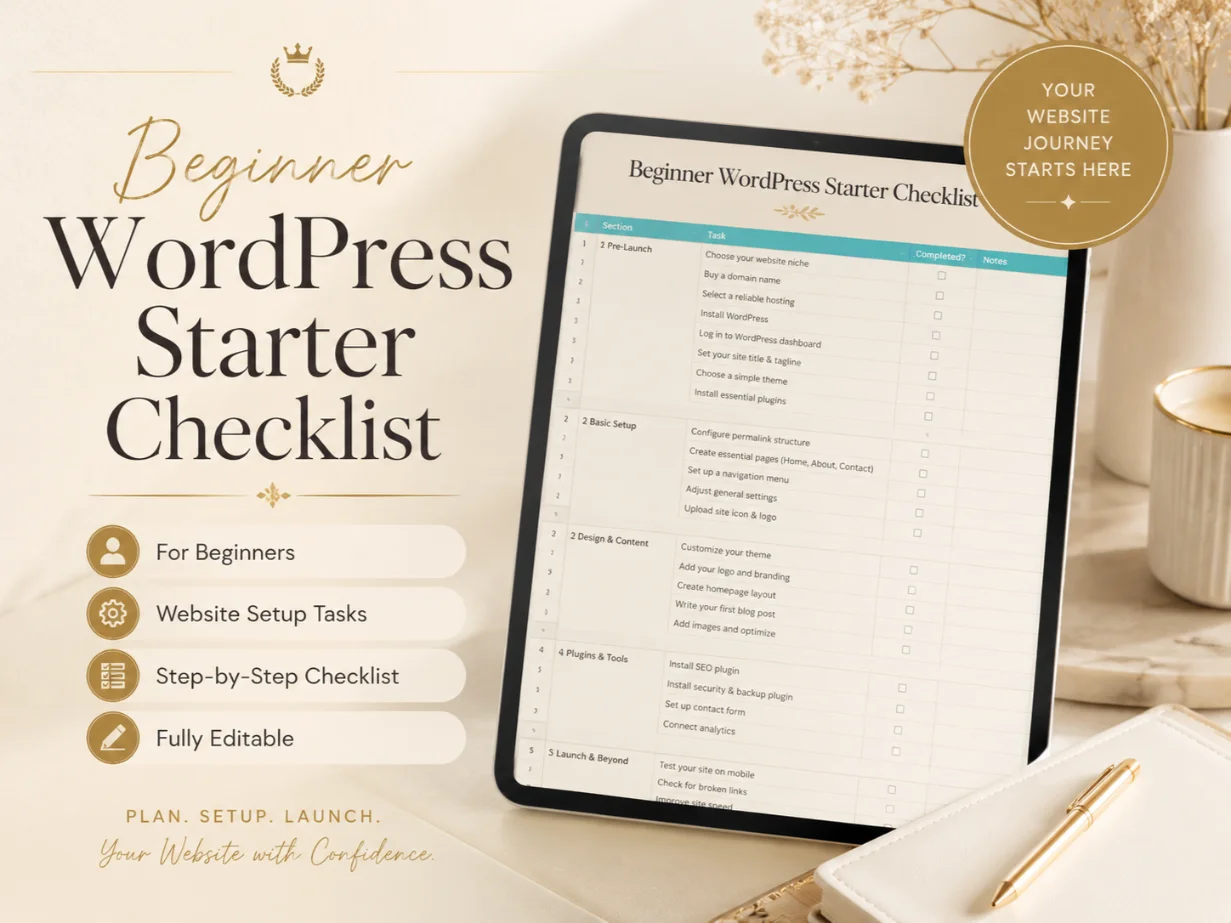
Launch your first WordPress website with confidence using this easy-to-follow starter checklist. Review domain setup, hosting, WordPress settings, themes, plugins, pages, security, backups, SEO, speed, and final launch tasks in one organized resource.
The Beginner WordPress Starter Checklist is created for anyone building a WordPress website for the first time.
Starting a website can feel confusing because there are many small tasks to complete. You need to connect your domain, install WordPress, choose a theme, create important pages, configure basic settings, improve security, set up backups, and check everything before publishing.
This checklist organizes the complete beginner process into clear sections so you can work step by step without forgetting important tasks.
It can be used for personal websites, blogs, business websites, portfolio sites, service websites, and small online stores.
What the Checklist Covers
Domain and Hosting Setup
✓ Domain name registration
✓ Hosting account setup
✓ Domain and hosting connection
✓ SSL certificate setup
✓ Business email creation
✓ Hosting login details
✓ Basic server information
✓ WordPress installation
Basic WordPress Settings
✓ Website title and tagline
✓ Admin email address
✓ Website language
✓ Time zone settings
✓ Date and time format
✓ Permalink structure
✓ Reading settings
✓ Discussion settings
✓ Media settings
✓ User profile setup
Theme Setup
✓ Choose a suitable WordPress theme
✓ Install and activate the theme
✓ Remove unused themes
✓ Upload website logo
✓ Add website favicon
✓ Set website colors
✓ Select fonts
✓ Configure header and footer
✓ Review mobile responsiveness
✓ Customize basic layout settings
Essential Pages
✓ Homepage
✓ About page
✓ Contact page
✓ Services page
✓ Blog page
✓ Privacy Policy
✓ Terms and Conditions
✓ Refund Policy
✓ Disclaimer
✓ Frequently Asked Questions
Some pages may not be required for every website.
Menu and Website Structure
✓ Create the main navigation menu
✓ Add important pages to the menu
✓ Create a footer menu
✓ Organize website categories
✓ Set parent and child pages
✓ Review internal page structure
✓ Add contact details
✓ Check all menu links
Essential Plugin Setup
✓ SEO plugin
✓ Security plugin
✓ Backup plugin
✓ Contact form plugin
✓ Caching plugin
✓ Image optimization plugin
✓ Spam protection plugin
✓ Analytics integration
✓ Ecommerce plugin when required
✓ Cookie consent plugin when required
Website Content Setup
✓ Add website headings
✓ Write clear page content
✓ Upload optimized images
✓ Add image alt text
✓ Check spelling and grammar
✓ Add contact information
✓ Add strong calls to action
✓ Review buttons and links
✓ Remove sample WordPress content
✓ Replace demo images and text
Basic SEO Setup
✓ Create SEO-friendly page titles
✓ Write meta descriptions
✓ Use proper heading structure
✓ Create clean page URLs
✓ Add image alt text
✓ Set up an XML sitemap
✓ Connect Google Search Console
✓ Connect Google Analytics
✓ Check website indexing settings
✓ Add internal links
✓ Review mobile usability
Security Setup
✓ Change the default admin username
✓ Use a strong password
✓ Enable two-factor authentication when possible
✓ Update WordPress core
✓ Update themes and plugins
✓ Remove unused plugins
✓ Remove unused themes
✓ Limit login attempts
✓ Install an SSL certificate
✓ Review user roles
✓ Protect important website files
Backup Setup
✓ Install a backup solution
✓ Schedule automatic backups
✓ Back up website files
✓ Back up the database
✓ Store backups in a safe location
✓ Test the backup process
✓ Review backup frequency
✓ Keep a recent manual backup before major changes
Website Speed Setup
✓ Compress large images
✓ Use suitable image formats
✓ Enable website caching
✓ Remove unnecessary plugins
✓ Minify files when appropriate
✓ Check mobile loading speed
✓ Test important website pages
✓ Choose reliable hosting
✓ Avoid heavy design elements
✓ Review third-party scripts
Contact and Lead Setup
✓ Create a working contact form
✓ Add email notifications
✓ Test the contact form
✓ Add phone number and email
✓ Add WhatsApp button when required
✓ Add social media profiles
✓ Add inquiry buttons
✓ Check confirmation messages
✓ Test contact details on mobile
Final Website Testing
✓ Check all pages
✓ Test navigation menus
✓ Test website forms
✓ Check buttons and links
✓ Review spelling and grammar
✓ Test the website on mobile
✓ Test the website on desktop
✓ Review tablet responsiveness
✓ Check image quality
✓ Remove broken links
✓ Review website speed
✓ Confirm SSL is working
✓ Check privacy and legal pages
✓ Remove maintenance mode
✓ Create a final website backup
Key Features
✓ Beginner-friendly checklist format
✓ Clear step-by-step website setup process
✓ Covers important WordPress basics
✓ Suitable for different website types
✓ Easy to reuse for future projects
✓ Helps reduce common setup mistakes
✓ Useful for personal and client websites
✓ Saves time creating a process from scratch
✓ Helps organize completed and pending tasks
✓ Suitable for learning and practical use
Who Is This Checklist For?
This checklist is suitable for:
✓ WordPress beginners
✓ Freelancers
✓ Students
✓ Bloggers
✓ Small business owners
✓ Virtual assistants
✓ New web designers
✓ Digital marketers
✓ Startup teams
✓ Content creators
✓ Personal brand owners
✓ Anyone creating their first website
Suitable Website Types
You can use this checklist for:
✓ Business websites
✓ Personal blogs
✓ Portfolio websites
✓ Service-based websites
✓ Local business websites
✓ Agency websites
✓ Educational websites
✓ Landing pages
✓ Small ecommerce stores
✓ Personal brand websites
How to Use the Checklist
- Open the checklist file.
- Add your website name and project details.
- Start with domain and hosting setup.
- Complete each section in order.
- Mark every task as completed or pending.
- Add notes for anything that needs attention.
- Test the complete website before publishing.
- Keep the checklist for future updates and maintenance.
Benefits of Using This Checklist
✓ Start your WordPress website in a more organized way
✓ Avoid forgetting important setup tasks
✓ Understand the basic website creation process
✓ Track your progress from installation to launch
✓ Improve website security and performance
✓ Create a better visitor experience
✓ Make your website look more professional
✓ Build a reusable setup process
✓ Reduce beginner confusion
✓ Launch with more confidence
File and Delivery Information
This is a digital product. No physical item will be shipped.
The checklist may be provided as a PDF, spreadsheet, document, printable file, or editable online sheet, depending on the available product format.
After completing your purchase, you will receive access to the downloadable file or resource link.
Important Notes
✓ This checklist is a planning and setup resource.
✓ It does not automatically build or manage a WordPress website.
✓ Some steps may not apply to every website.
✓ Plugin and theme requirements depend on the website type.
✓ Always create a backup before making major website changes.
✓ Avoid installing too many unnecessary plugins.
✓ Use trusted themes, plugins, and hosting providers.
✓ Website results depend on design, content, performance, marketing, and ongoing maintenance.